


Logic board is the central part of the whole Mac devices and plays an important role to deal whole functionality of the computer and all wires and system is connected with this chip. When it goes wrong then you will observe problems in your device. In other words you can also call it a motherboard of devices.
 Every computer has its own motherboard and iMac’s board is called logic board. In case of creating harsh problems and unable to resolve then technicians replace it with new one. Although iMac logic board repair is a complicated process but with having little knowledge about its system you can replace it with using safety measures.
Repair iMac logic Board:
 View the next portion of this article if you have energy to iMac logic board repair by yourself without consulting the technician. Are you wondering about this then yes you can do it but keep in mind don’t be over smart, in case of finding any problem you have to go to a special person having knowledge about iMac system to prevent any trouble.
- Take your first step to plug it down from electricity by removing all connected cables to iMac. Be sure there is not any harmful connections fix to it. Leave it for few minutes to keep it in cool condition.
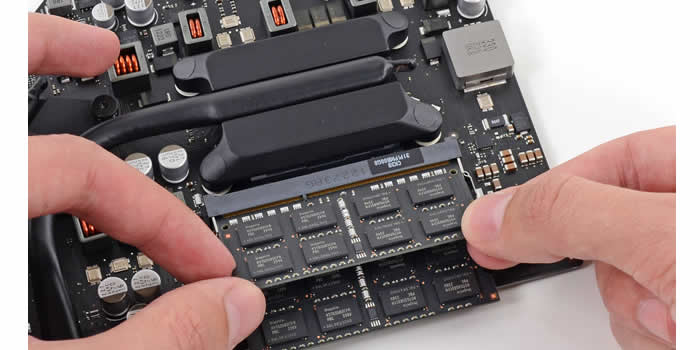
- Lay it down to its back side and start removing placed screw on to its screen pan that hides the memory modules. Take away the cover and drag the memory modules from it then put off screw from the Torx head which enables you to remove full of its cover. When you successfully open it then put it in original position and stands in front of its screen and tries to detach the casing from its LCD.
- This should be done very carefully; if you want then you can take help to your friend and a technician if you feel uncomfortable during this procedure. After putting its LCD off detach the cable of its camera so that you can easily view the logic board.
 You can use your camera to take pictures of this step by step process to keep remember for repeating the procedure after its successfully replacing the logic board. It will really effective for you to follow the same way to join it.
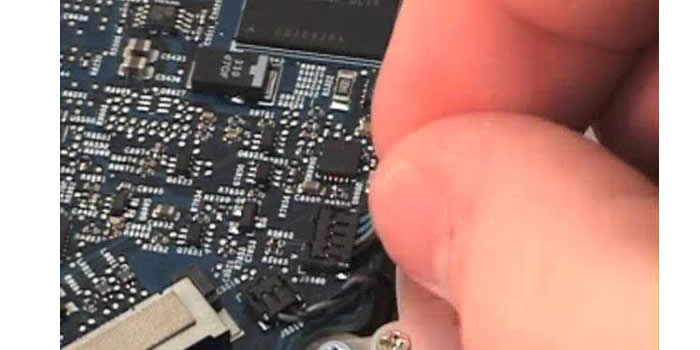
- Detach all video and cam wires to logic board and remove the other Torx screw placed other sides of the screen to completely make it free then you can easily remove the LCD screen of iMac. Take a look towards its backside to make sure all cables placed backside is removed.
- There you will find the sensor fixed with coil and you have to remove all these one by one and detach it from logic board. In simple words you have to detach all attached things to the logic board by removing screw from these.
- Once you remove everything attach to motherboard then raise it up from the iMac with carefully and replace it to new one and follow the previous same procedure from end to first then you will complete iMac logic board repair task.